Hangman
Instructions:
Tap to playDescription
Hangman Competitive-Style Breakdown
Top Tips
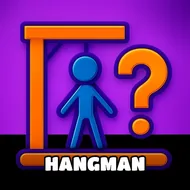
Old-school word guessing games live or die on how you attack the alphabet, and this stickman version is no different. Start with vowels, always. E, A, and O show up constantly, and knocking those out early gives you a skeleton of the word before you've even risked half your guesses. Don't just throw random letters at the screen, though — look at word length first. A short four-letter puzzle behaves nothing like a nine-letter monster, so adjust your letter order accordingly. Common consonants like R, S, and T are your next move once the vowels are locked in. Tricky letters like Q, X, and Z should be your last resort, saved for when you're basically solving the puzzle by pattern recognition alone. And honestly, don't overthink the guesses once a few letters are revealed. Sometimes the answer just clicks halfway through, and there's no shame in tapping it out before the poor stickman finishes his unfortunate trip up the gallows.
Controller & Keyboard Guide
There's nothing complicated hardware-wise here, which honestly makes it a nice palate cleanser next to twitchier reflex games. Everything runs off simple taps, letter by letter, no buttons to memorize and no combos to fumble. That means anyone can pick it up in about five seconds, whether it's a quick round on a phone screen or a browser tab open during a slow afternoon. The whole interface stays clean and readable, which matters a lot in a word game — nobody wants to squint at tiny letters while a cartoon noose tightens.
Difficulty-wise, it's a slow burn rather than a brick wall. Early words tend to be forgiving, short and familiar, but the pool widens fast and some entries lean genuinely obscure. Kids will get a kick out of the simpler rounds, while anyone chasing a real vocabulary workout will hit words that force actual thinking. It's not punishing, just quietly demanding — miss too many wrong letters and that stickman's fate is sealed before you know it.