Hangman Contest
Instructions:
Use mouse or touch the lettersDescription
Hangman Contest Strategy Guide
Score-Boosting Tactics
- Read the category hint first, always. Knowing it's "fruit" or "transport" narrows your guesses way more than blindly clicking letters.
- Start with vowels, then hit the common consonants like R, S, T, and N. They show up in more words than you'd think.
- Count the blank spaces before you pick a single letter. A four-letter word rules out plenty of guesses right away.
- Watch the drawing pace itself, not just the letters. Once the rope and head appear, it's time to start piecing together partial words instead of guessing randomly.
- Don't waste picks on rare letters like Q or Z unless the pattern practically screams for them.
- Slow down on tricky categories. Rushing through a school-themed puzzle when you're thinking about animals wastes guesses fast.
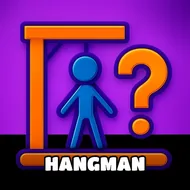
Hangman Contest keeps things simple on the surface but there's a real puzzle-solving itch buried underneath. A hint sits at the top of the screen, pointing you toward a general subject, animals, school supplies, fruit, modes of transport, that sort of thing, and from there it's on you to fill in the blanks one letter at a time. Pick right and the letter drops into place on the line. Pick wrong and the gallows starts sketching itself out, piece by piece, rope first, then the head, then limbs one after another. Guess the whole word before that stick figure is complete and you clear the round; let it finish and the round's over. It's built for quick sessions, the kind of thing you play for five minutes and somehow stay for twenty.
Controller & Keyboard Guide
- Everything runs through mouse clicks on a desktop browser, no keyboard shortcuts needed.
- On phones or tablets, just tap the letters directly with your finger.
- Letters sit in a set below the puzzle line, so scanning them before tapping saves you from misclicks.
- No timer pressure on input, so take a beat to think before committing to a letter.